
Table of Contents
ToggleCase Study: Sage Intacct Implementation: Moving from QuickBooks Online Without Breaking the Business
Background: The Problem Wasn’t Just Moving from QuickBooks. It Was Making Sure Everything Still Worked After the Move.
For a confidential customer, QuickBooks Online (QBO) was being used for day-to-day accounting operations.
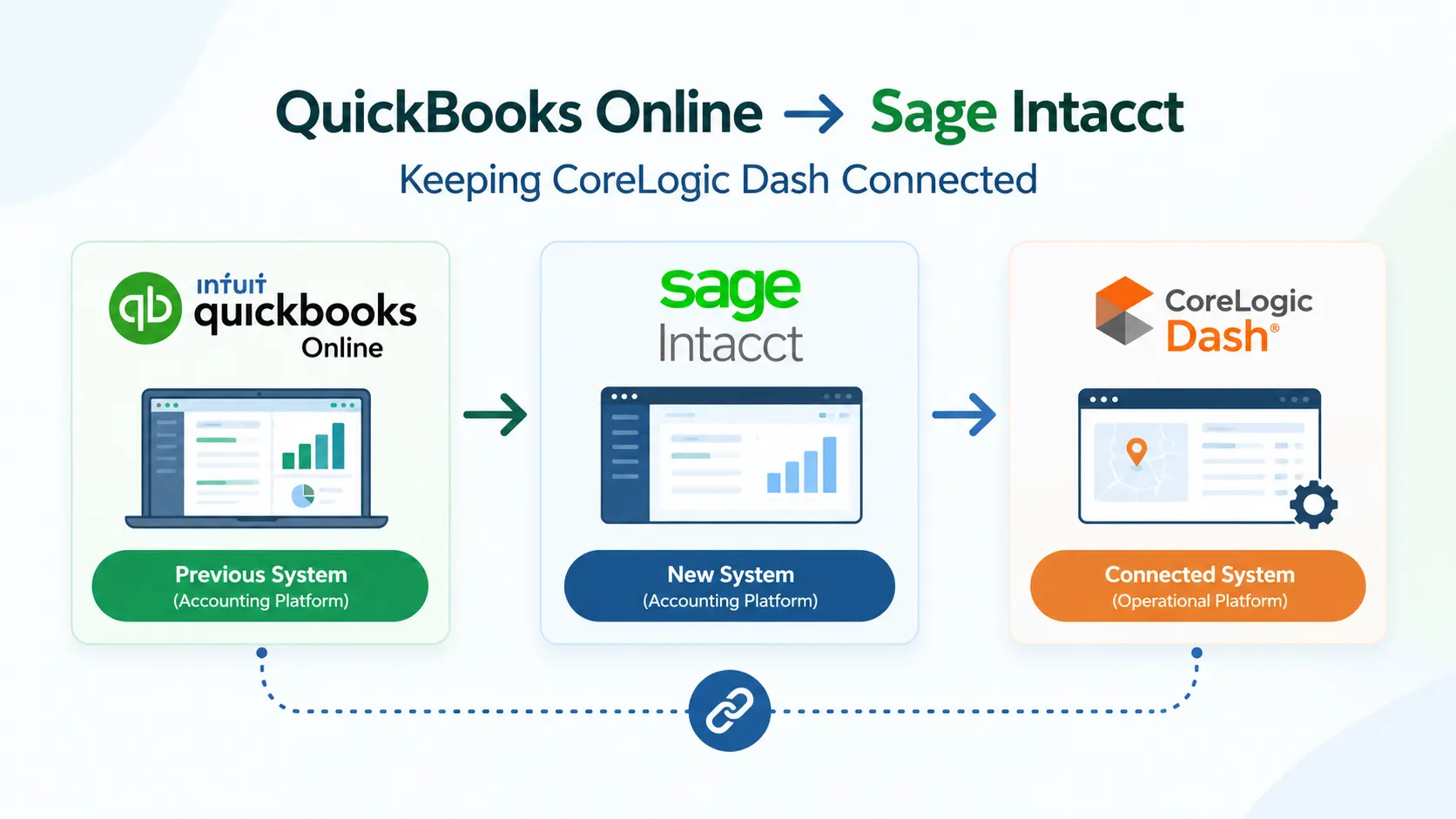
After the company was acquired, the parent organization required the business to move to Sage Intacct, its standard accounting platform. The accounting environment was also integrated with CoreLogic Dash, which meant the migration had to account for more than financial data.
The goal was to move the company from QBO to Sage Intacct while keeping the existing Dash integration working correctly.
The Problem: Moving Accounting Data Without Breaking Existing Relationships
This was not a simple accounting data migration.
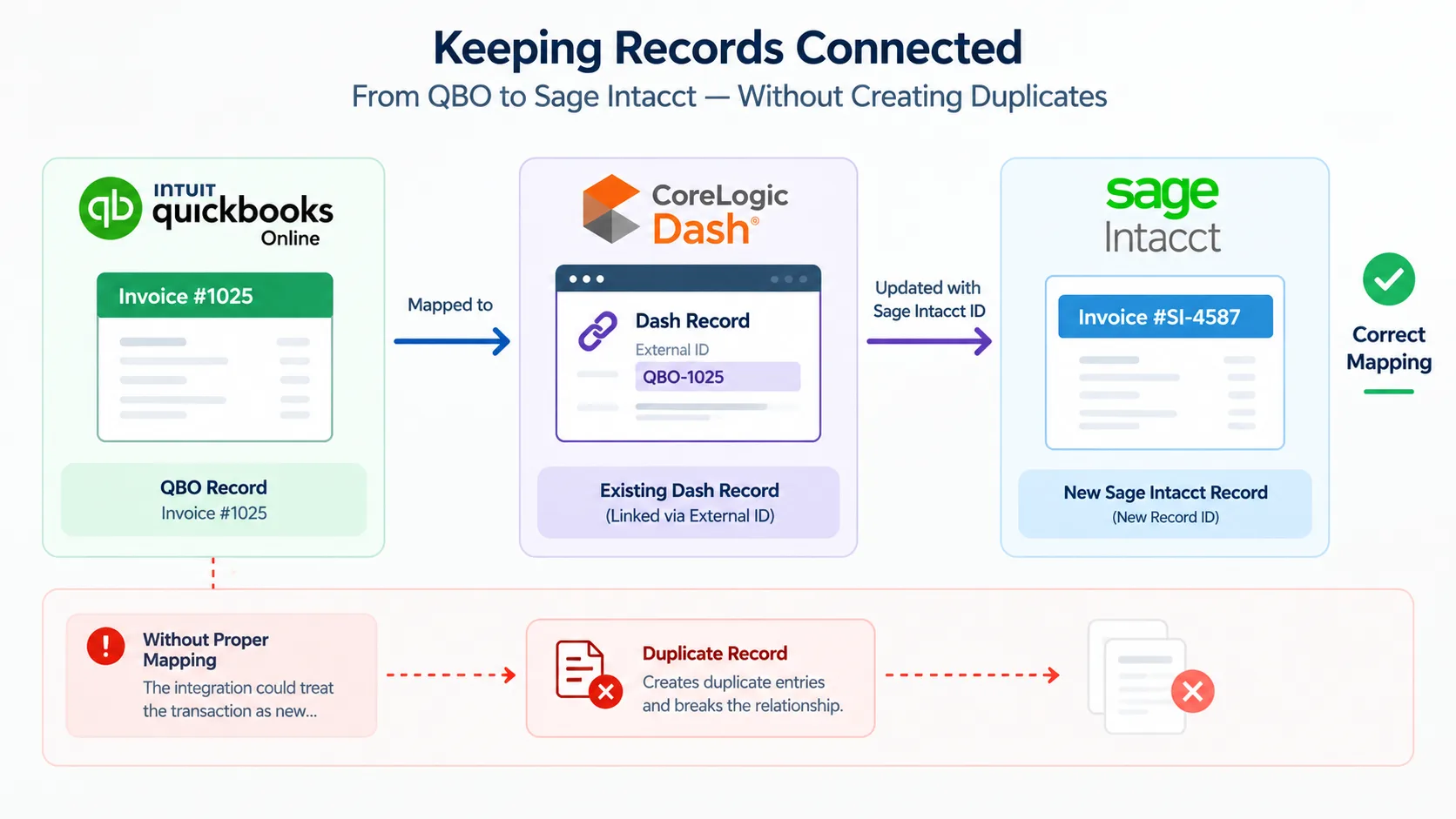
Existing Dash records were already connected to QuickBooks transactions through external identifiers. When those transactions were migrated to Sage Intacct, they received new Sage Intacct record identifiers.
If those new identifiers were not correctly connected to the existing Dash records, the integration could treat migrated transactions as new transactions.
That could result in duplicate records, broken relationships, and additional manual reconciliation.
The migration therefore needed to preserve:
- Customers and customer balances
- Vendors and 1099 information
- Open AR invoices and line details
- AR payments and credits
- Open AP bills
- Bank and credit card transactions
- Existing Dash-to-accounting relationships
The Impact: A Migration Could Create Problems Beyond Accounting
The biggest risk was not simply missing data.
A poorly planned migration could lead to:
- Duplicate transactions
- Incorrect AR or AP balances
- Broken Dash relationships
- Incomplete transaction information
- Manual reconciliation after go-live
- Integration failures when new transactions were processed
Standard QBO reports also did not contain every field required for migration. Certain records required API access and custom extraction logic to obtain the necessary information.
The business needed a migration process that could protect both financial accuracy and integration continuity.
The Solution: A Controlled Migration to Sage Intacct
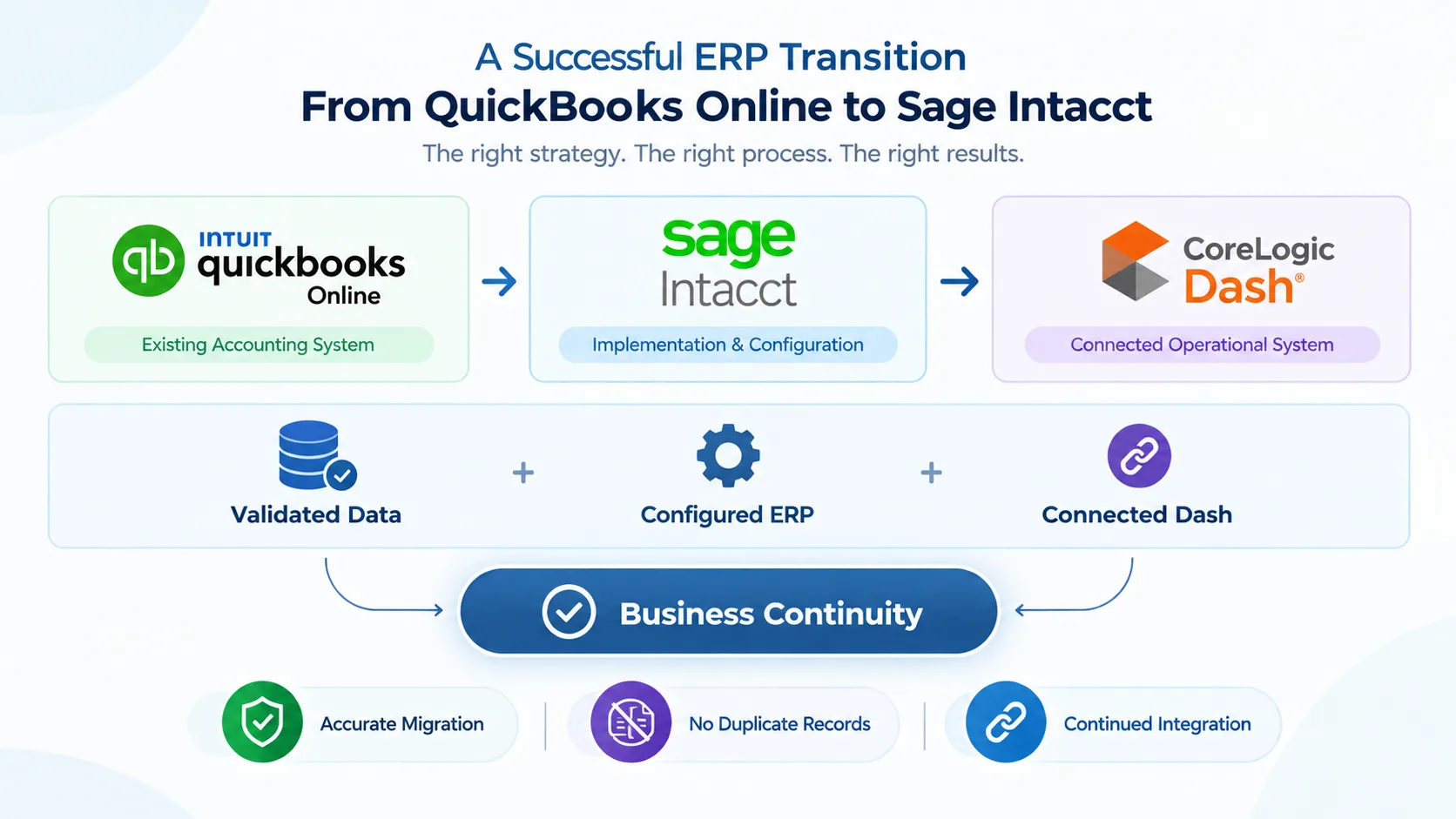
My ERP Partner approached the project as both an ERP implementation and integration migration.
We extracted the required data from QuickBooks Online, cleaned and transformed it, and validated it before migration.
The core record relationship was maintained as:
QBO Record → Dash Record → Sage Intacct Record
Once records were created in Sage Intacct, the corresponding Sage Intacct identifiers were captured and used to update the appropriate Dash External IDs.
This allowed Dash to recognize migrated transactions instead of treating them as new records.
Implementation: Building the New Sage Intacct Environment
The migration was completed in a controlled sequence:
- Extracted required master and transaction data from QBO.
- Cleaned, transformed, and validated the data.
- Configured the Sage Intacct environment.
- Migrated customers, vendors, open AR/AP transactions, payments, and other required records.
- Created and validated QBO-to-Sage-to-Dash mappings.
- Updated Dash External IDs with Sage Intacct identifiers.
- Tested migrated and new transactions through the integration.
- Reconciled balances and checked for duplicate records.
- Validated the environment before production go-live.
Sage Intacct Setup & Configuration
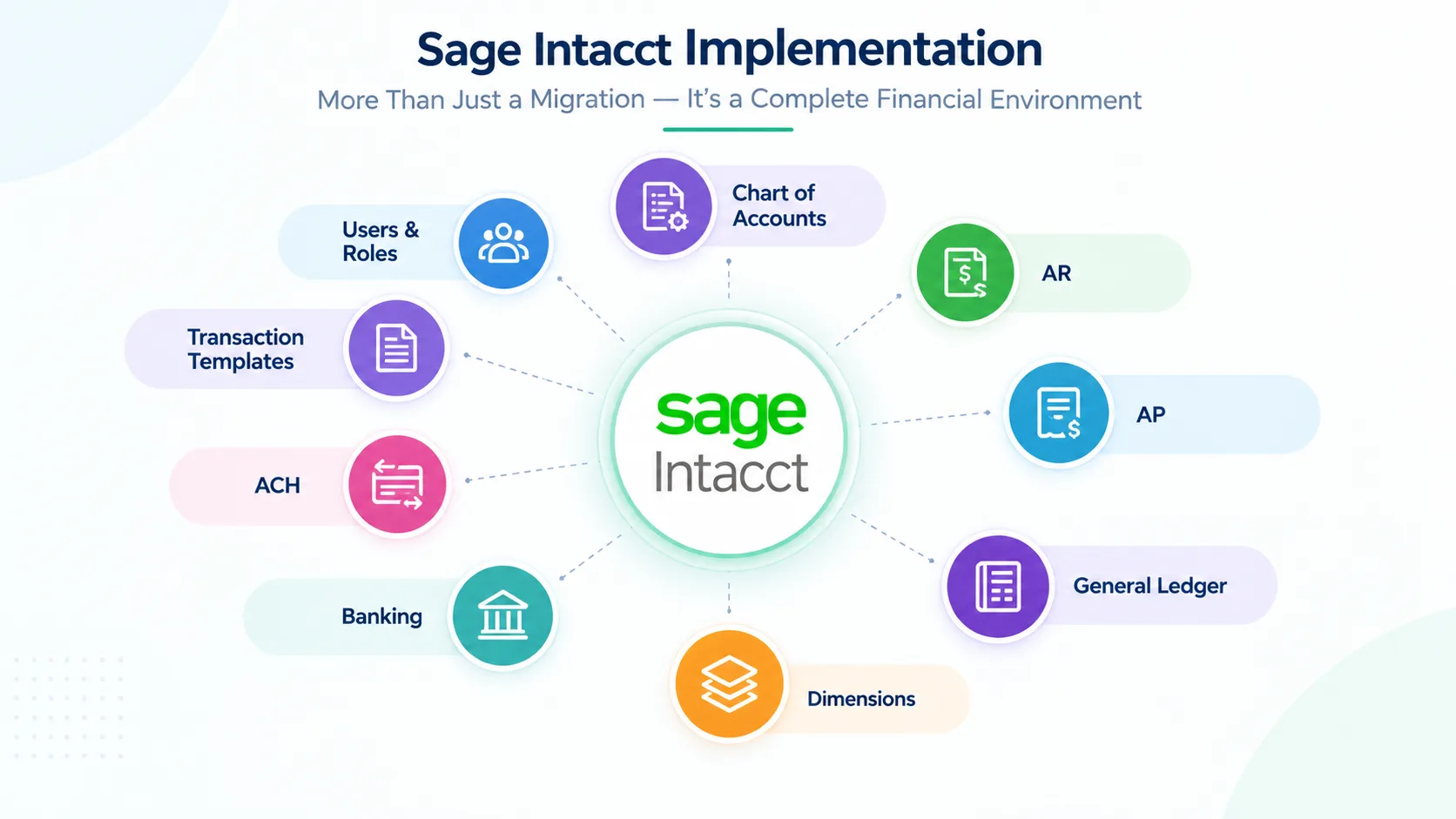
In addition to the data migration, My ERP Partner configured the Sage Intacct environment to support the company’s accounting operations and the parent organization’s structure.
Configuration included:
- Chart of Accounts
- Accounts Receivable and Accounts Payable
- General Ledger and posting settings
- Departments and dimensions
- Bank and credit card accounts
- ACH functionality
- Transaction templates
- Users, roles, and permissions
The objective was to make Sage Intacct operationally ready—not simply populate it with migrated data.
Making the Sage Intacct–Dash Integration Migration-Safe
A key part of the implementation was preventing migrated transactions from being duplicated.
Because Sage Intacct generates its own record identifiers, those identifiers had to be connected to the existing Dash records.
My ERP Partner captured the new Sage Intacct identifiers and updated the corresponding Dash External IDs.
This allowed the integration to distinguish between:
Existing migrated transactions and New transactions created after go-live.
The result was a controlled transition from QBO to Sage Intacct without losing the existing Dash relationships.
Validation: Making Sure the Numbers and Integration Matched
Before production go-live, the migrated environment was validated through financial and integration testing.
The team reviewed:
- Customer and vendor balances
- Open AR and AP transactions
- Payments and credits
- GL postings
- Bank and credit card transactions
- Record mappings
- Dash External IDs
- Duplicate records
- Test transactions through the integration
- Accounting periods and posting settings
Test transactions were processed to confirm that the Sage Intacct-Dash integration worked correctly before production activation.
The Result: A Successful Move to Sage Intacct
The required accounting data was successfully migrated from QuickBooks Online to Sage Intacct.
Dash External IDs were updated with the corresponding Sage Intacct references, allowing existing records to remain aligned after the migration.
The integration could correctly identify migrated transactions rather than creating duplicates, while new Sage Intacct transactions could continue synchronizing with Dash.
The company moved to Sage Intacct while maintaining the accounting and operational relationships that were already critical to the business.
Key Strategic Takeaways
Migration Is More Than Data Transfer
ERP migration needs to consider business processes, integrations, and the relationships between systems.
Record Mapping Matters
Existing operational records need to remain connected to their new ERP counterparts.
Configuration Is Part of Implementation
Chart of Accounts, dimensions, users, permissions, AR, AP, GL, banking, and other settings need to support the business.
Test Before Going Live
Reconciliation and integration testing can identify problems before they affect production operations.
Business Continuity Is the Goal
A successful ERP implementation should allow the business to continue operating confidently after the transition.
Conclusion: Need Help Optimizing Your Sage Intacct Operations?
Sage Intacct includes extremely efficient features for managing accounts payable, multi-entity consolidated reporting, financial workflows automation, and many more. Proper configuration and management of the approval rules, ingestion setups and dimension strategy all require time and careful technical planning.
If your company is already using Sage Intacct or looking into implementing AP automation, then this is the opportune time to review your current system setup.
My ERP Partner’s certified technical consultant experts fully understand Sage Intacct features and have a deep expertise in implementing sophisticated financial management tools. Let us help you streamline your accounts payable by optimizing the Sage Intacct approval processes, configuring the ingestion rules, and correctly setting up your multi-entity dimensions, building custom reporting and much more.
Contact My ERP Partner today to speak with an expert ERP consultant on how to maximize your Sage Intacct system efficiency.